Stash Management Built for Online Players
No save files. No imports. Log what you find, assign it to any character or mule, search everything at once. Works for every Battle.net character you have.
That's not a you problem. That's a gap nobody filled. Packmaster solves both.
Packmaster is a free stash tracker for Diablo 2 Resurrected online players. Log items with a screenshot paste, score the roll quality, track your mules, and search your entire stash at once. No save files required.
Claim your Stash
The game doesn't tell you if an item is worth keeping.
Your mules don't tell you if you already have one.
Packmaster works differently. You log what you find. It does the rest.
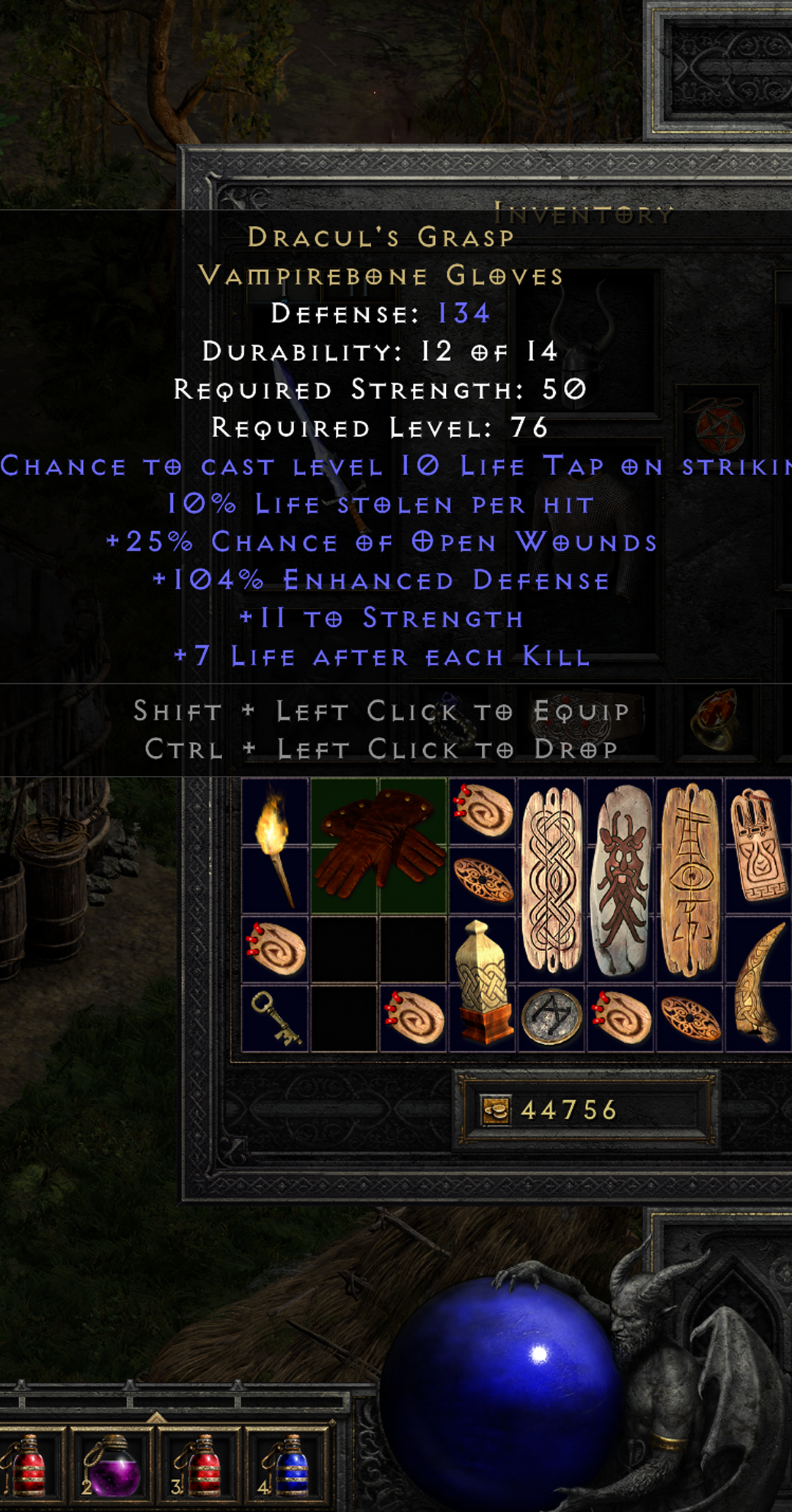
In game, hover over any item. Screenshot it. Ctrl+V into Packmaster. Stats read automatically. No typing, no manual entry.
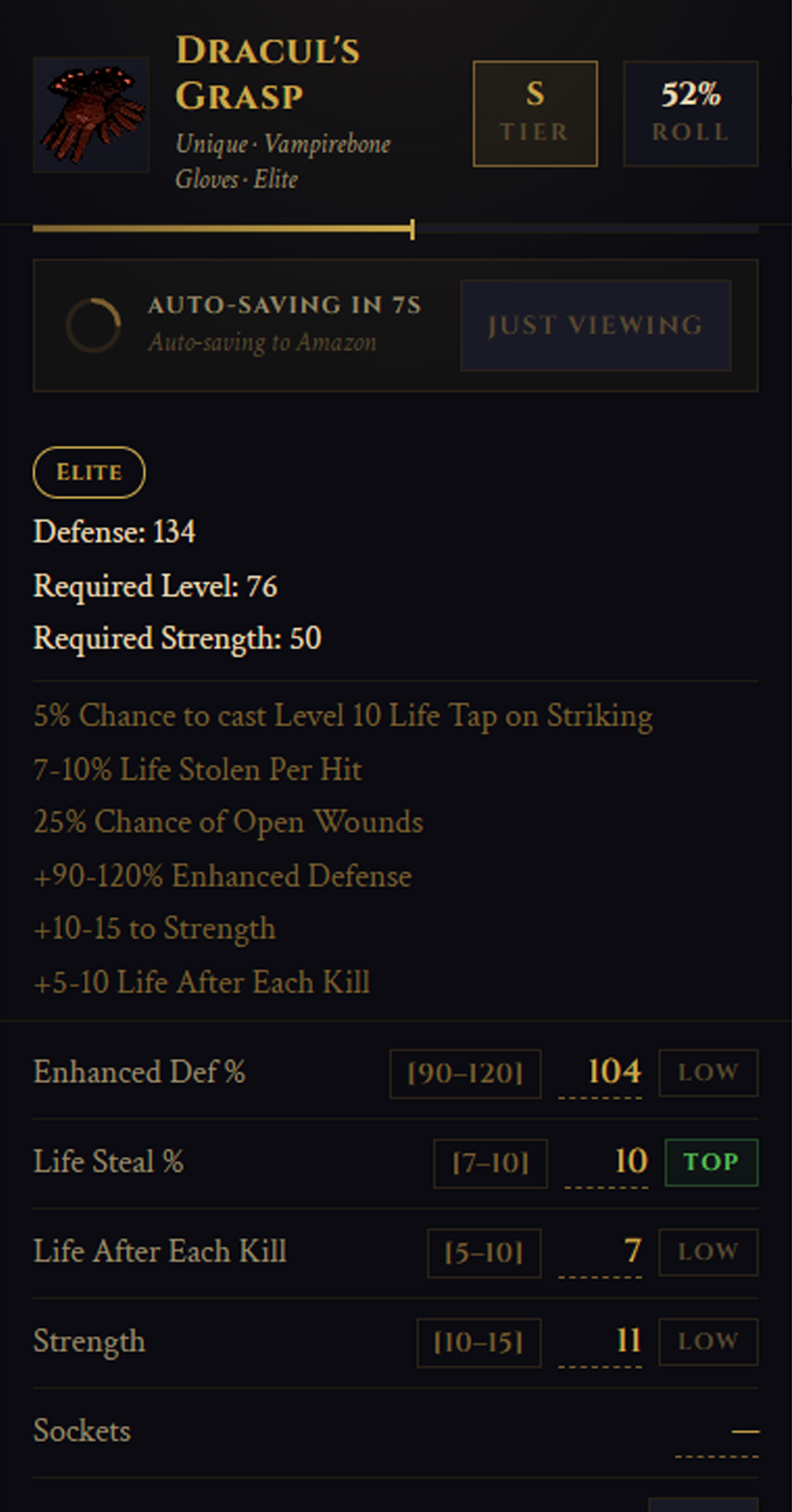
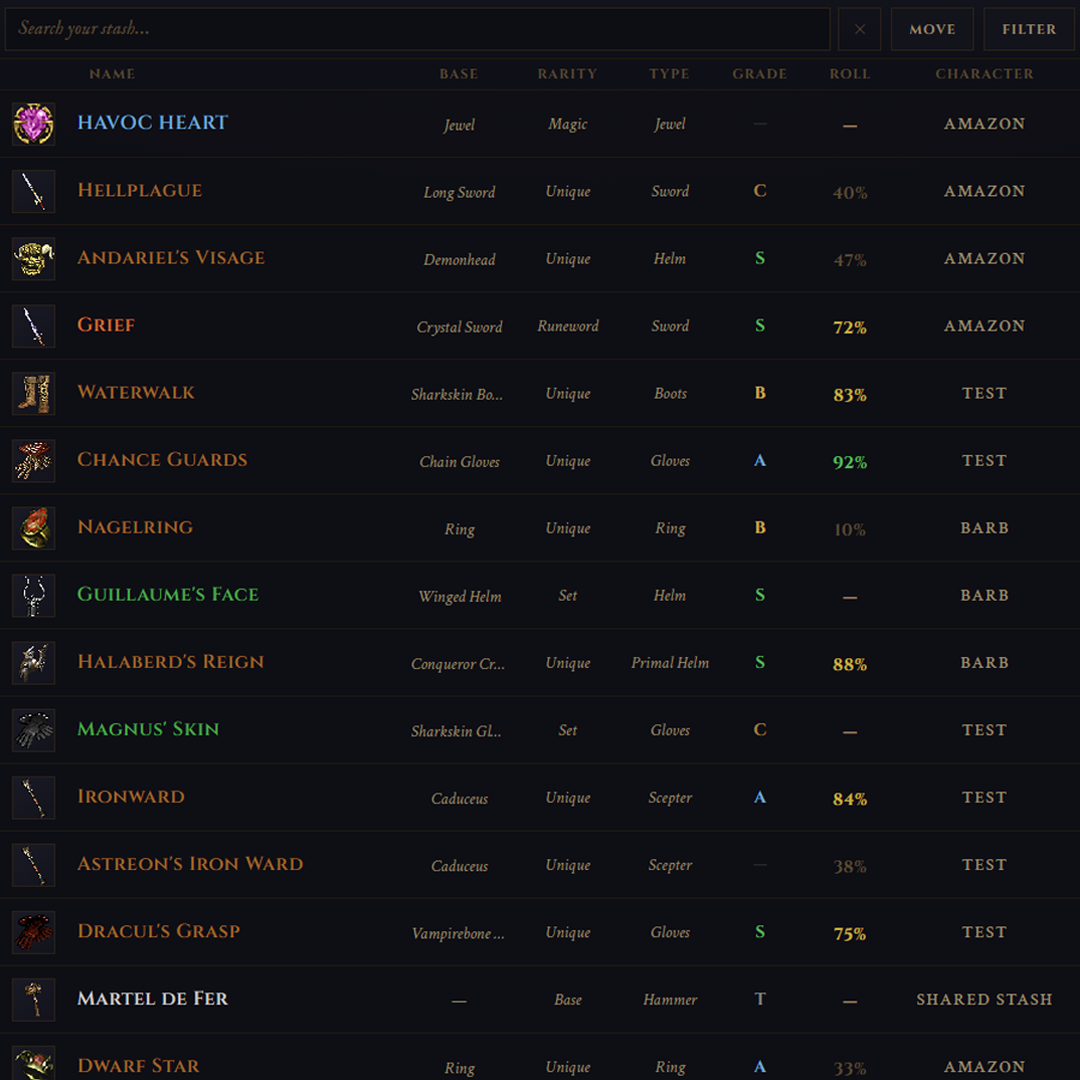
Every item gets a quality percentage based on actual D2R stat ranges from game data. 47% Shako versus 94% Shako. Now you know the difference without doing the math.
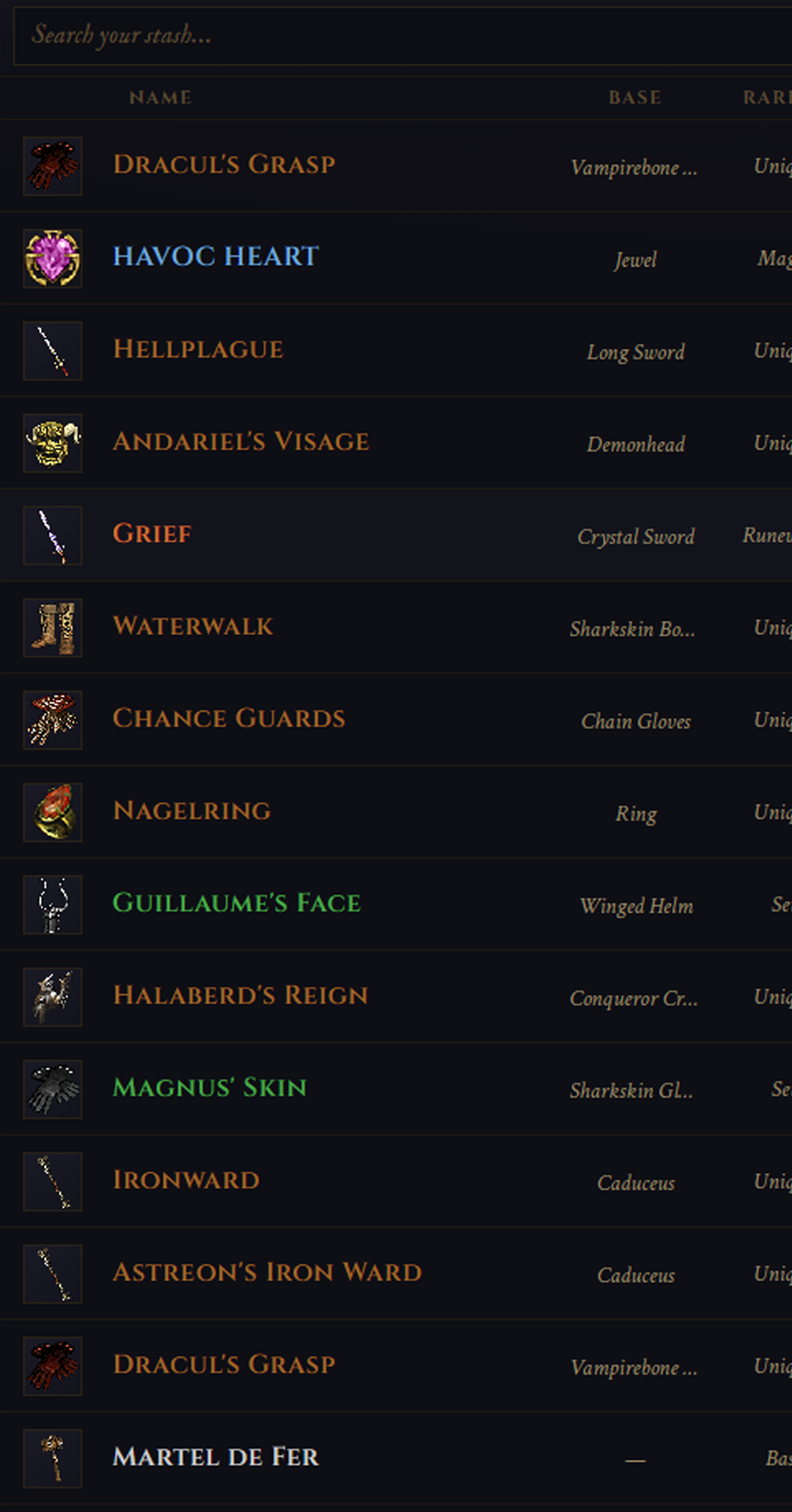
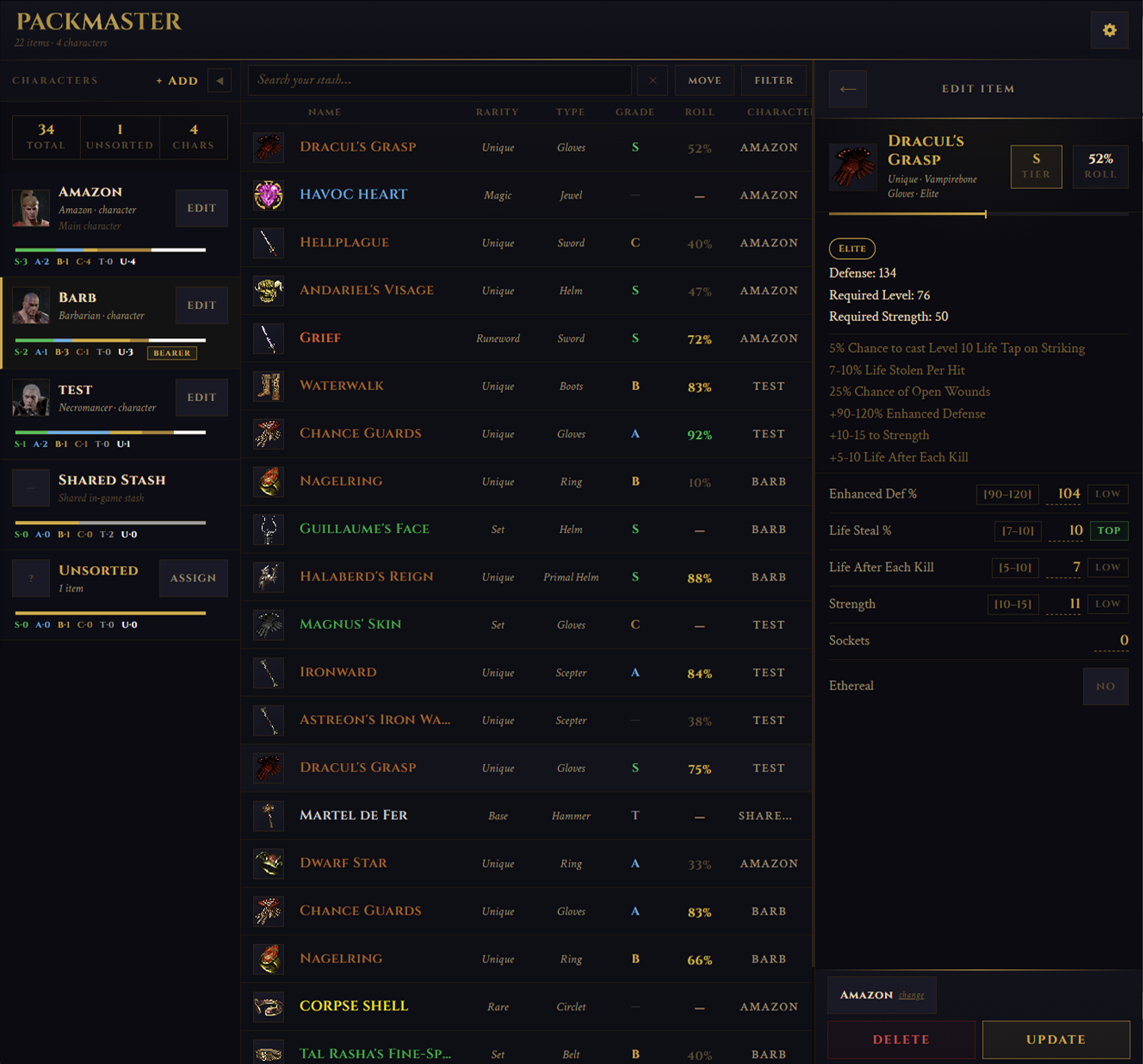
Search your entire stash at once. Every character, every mule, one search. The Shako is on Mule 3. The Griffon is on your Amazon. You know in seconds.
No save files. No imports. Log what you find, assign it to any character or mule, search everything at once. Works for every Battle.net character you have.
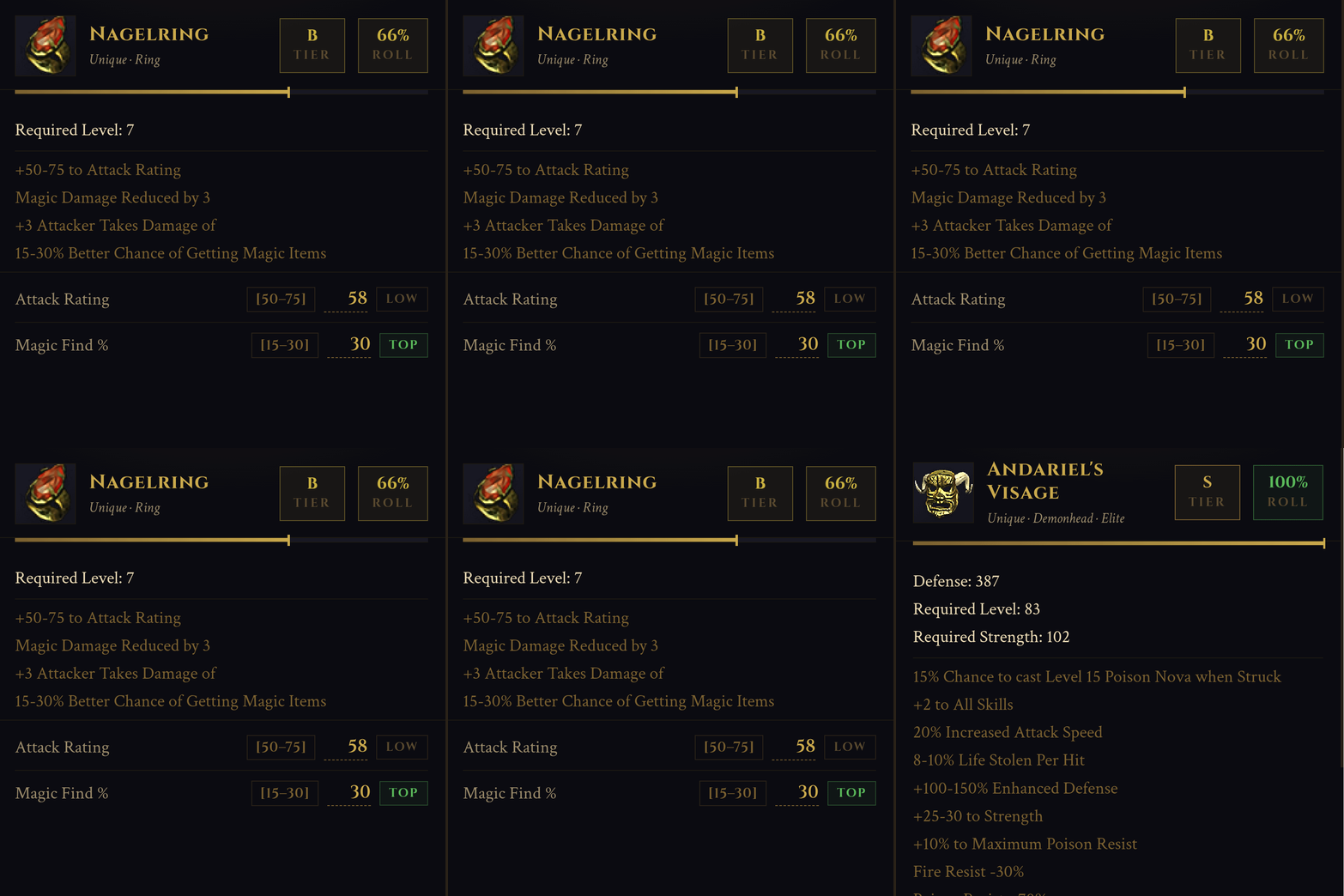
Every unique, set, and runeword gets a percentage score and a letter grade based on actual game data stat ranges. S tier at 91% versus C tier at 23%. The difference matters and now you can see it at a glance.
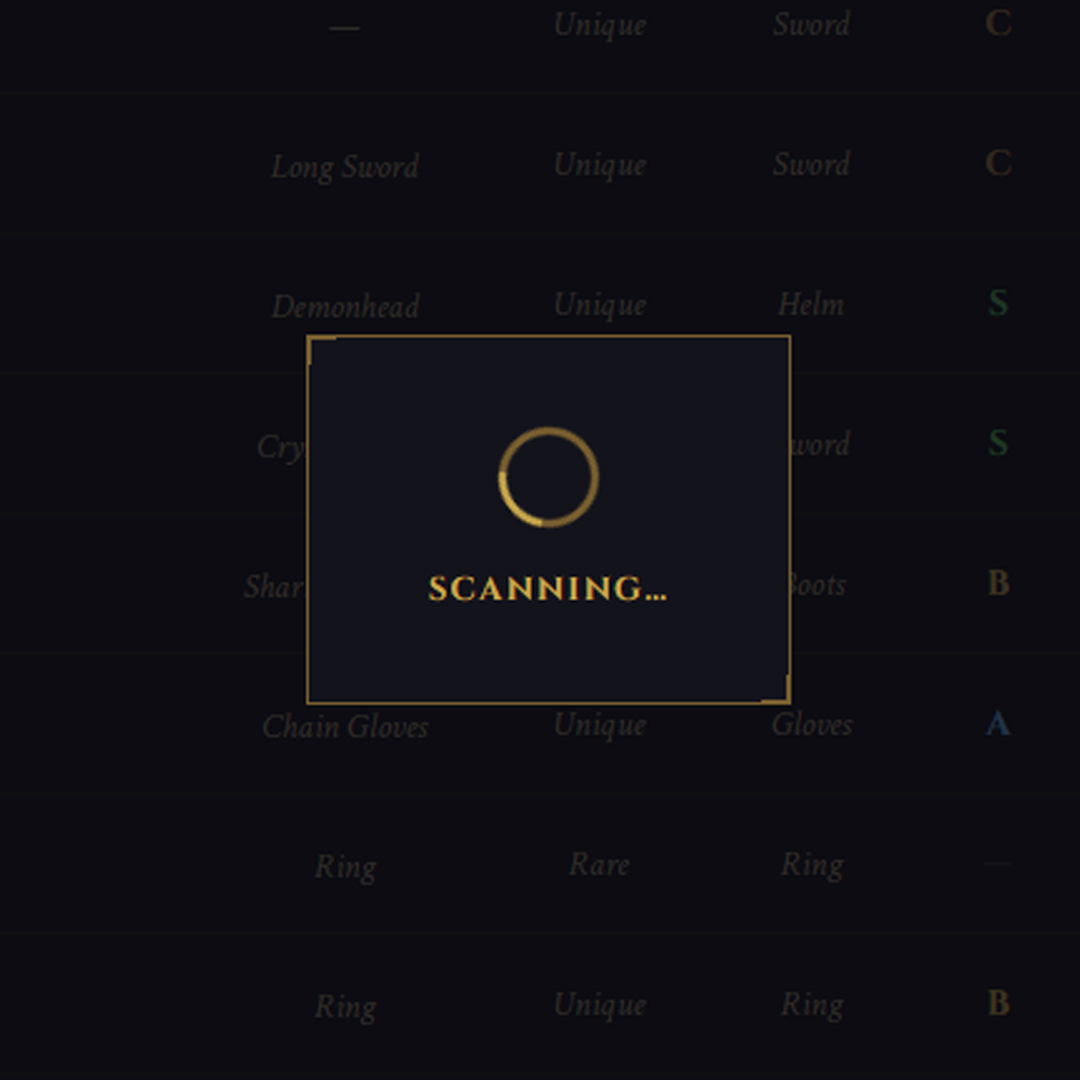
Hover over any item in game, take a screenshot, paste it directly into Packmaster. Stats pre-fill automatically. Average processing time is under 2 seconds. No phone required.
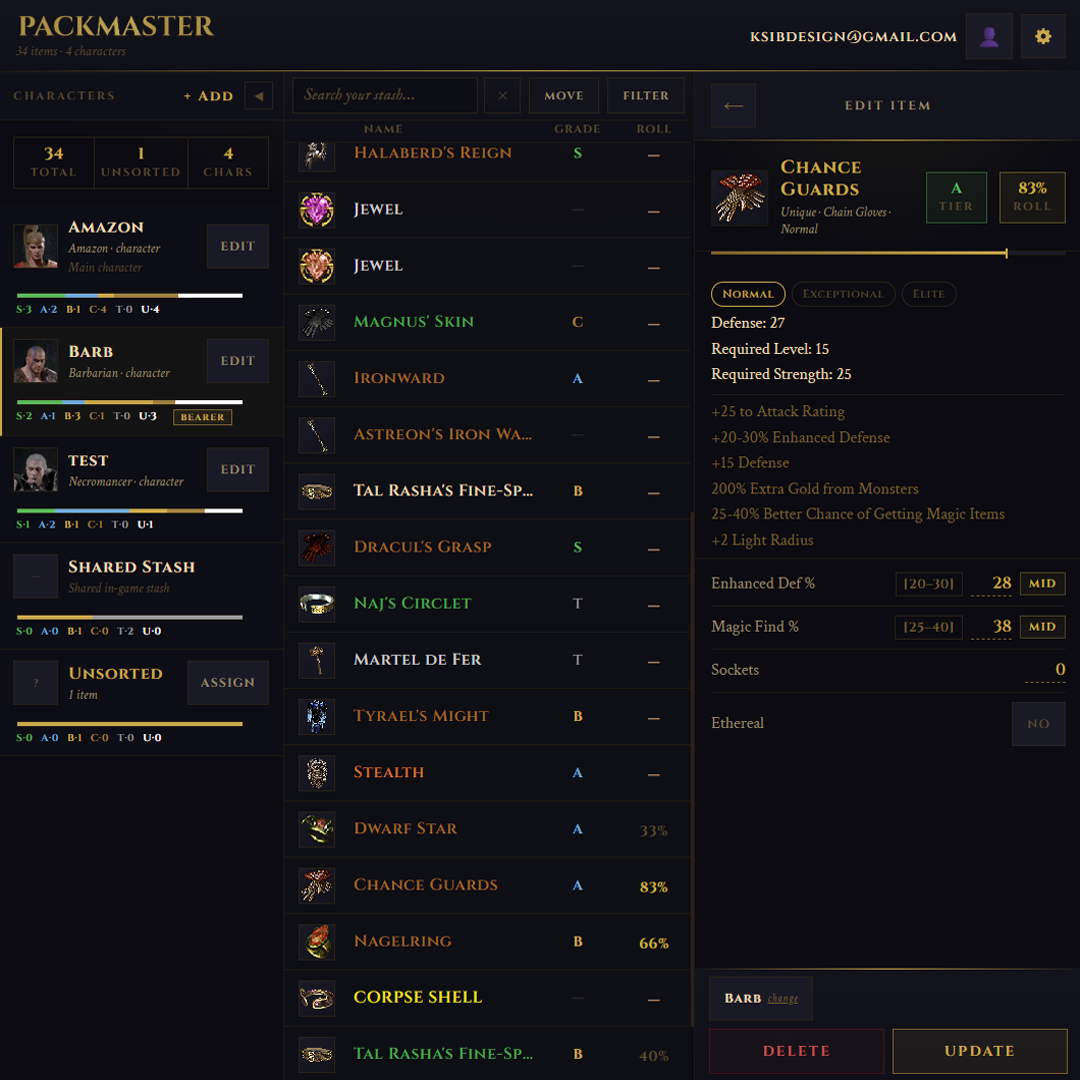
Three-pane layout built for your monitor. Character roster on the left, full stash list in the center with base item, rarity, type, grade, and roll columns, item analysis on the right. Everything visible at once.
I'm ksib. I'm a designer and tool builder by trade. I've been playing since the release of Lord of Destruction. When D2R launched on console I was back in immediately; PS5, couch, no alt-tab, no second monitor, no spreadsheet open on the side.
Reign of the Warlock helped. Loot filters. Runes and gems finally stack. Shared tabs across characters are a real improvement. But I still had mules I couldn't search and drops I couldn't evaluate. And nothing tells you if what just dropped is actually good.
So I built the tool I needed.
| Packmaster | Save File Tools | Manual Web Trackers | |
|---|---|---|---|
| Works for Battle.net online characters | Yes | No | Yes |
| Roll quality scoring | Yes | No | No |
| OCR / screenshot paste | Yes | No | No |
| Cross-character search | Yes | Yes (offline only) | Yes |
| Mobile friendly | Yes | No | Poor |
| Free | Yes | Yes | Yes |
Save file tools are excellent for offline characters. Packmaster exists for everyone.
Free, no install. Open it in your browser and start logging in seconds. Works for every platform, every mode, every character you have on Battle.net.
Claim your Stash